
Demo:
https://fountain.dethbird.com
Fountain Writer came about because I went down a YAML hole at one point in my life. All my personal notes were written in it. I thought I was the most organized man in the world, but that would be the “time to make the donuts” guy. 🍩
I write a lot of little snippets of dialog, like I’m writing sketch comedy bits or something. I used to just throw them in a notes app. But with this project, I just thought it would nice to have quick a way to jot them down while giving them the strong structure of screenplay formatting. From there, thinking about dialog, action, characters, and story beats quickly become part of something more structured – where it would have otherwise been a throw-away bar-napkin scrawl. 📝➡️📄

What does it do? 🚀
Here are some of it’s features:
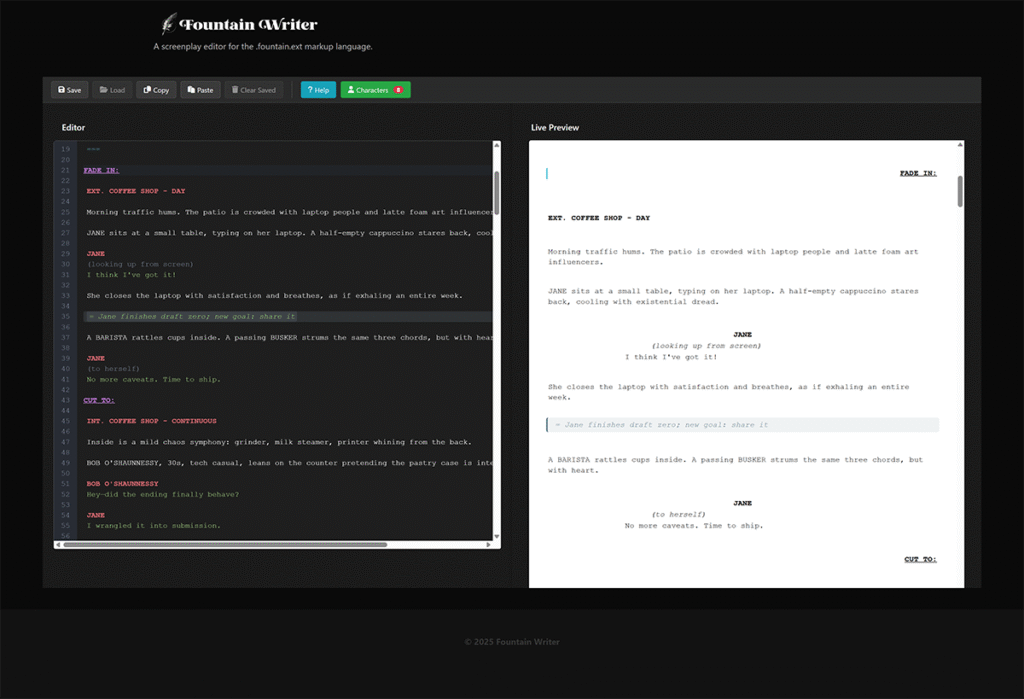
.fountain language “code editor” with live print preview
Code highlighting for fountain.ext language syntax with live screenplay-formatted preview. Type on the left, preview on the right. Make your typewriter jealous. 🎹👀
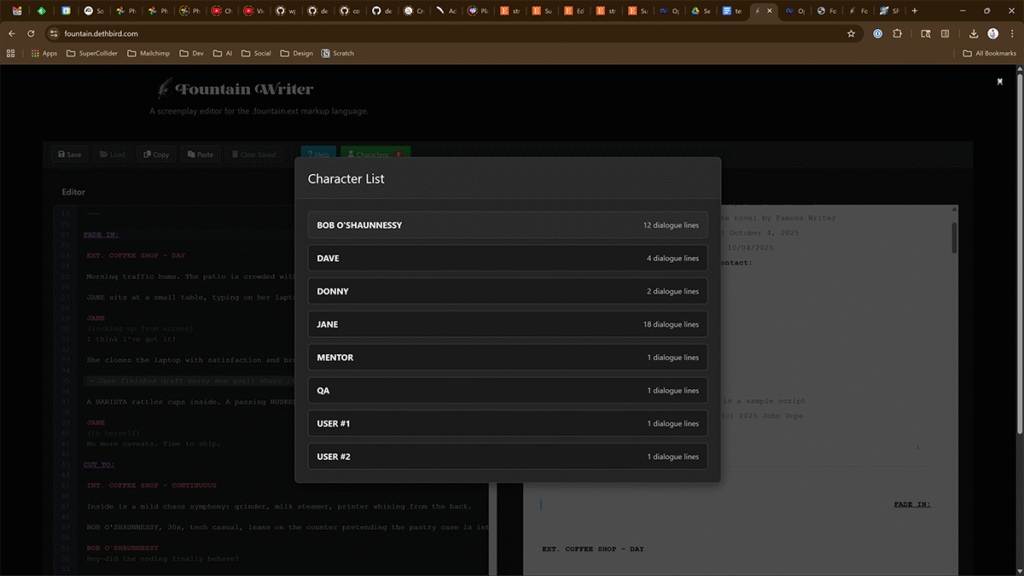
Character detection with dialog count.
Characters are detected as you type, with their dialog count tallied so you don’t forget who you’ve added to the call sheet. 🧑🤝🧑📊
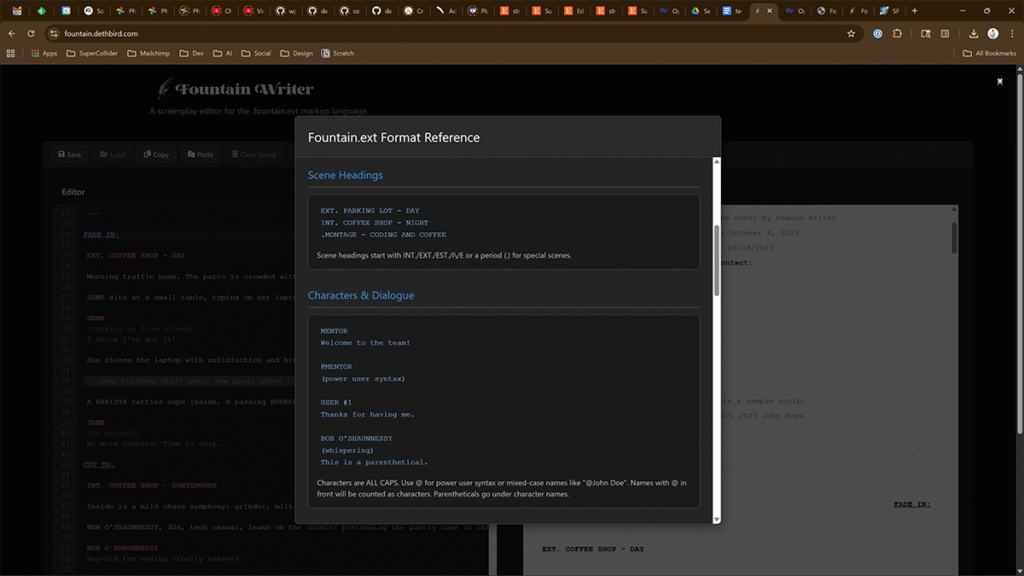
.fountain.ext language syntax help.
Vanilla .fountain is great but intentionally minimal. A few pragmatic bits were added to create .fountain.ext (Fountain extended) like synopsis lines, milestones, act/scene/sequence markers, and storyboard-friendly panels with optional images/audio. The in-app helper shows the syntax. 🔧📚
How does it work 🛠️
Short answer: a very fast editor on the main thread, and formatting in a background worker, glued together with tiny deltas.
- Editor (left pane):
Powered by CodeMirror 6. It incrementally tokenizes the text as you type, so highlighting is instant. No full rescans. - Preview (right pane):
A Web Worker keeps a separate copy of the document. When you edit, the editor sends patches (small change sets). The worker updates only the affected regions and returns render diffs – a list of blocks (scene headings, action, dialogue, etc.) with their source offsets. 🧩 - Scroll-sync (two ways):
Each preview block carries{from, to}offsets into the source.- Move the cursor → we binary-search the block ranges and scroll that preview block into view.
- Click the preview → we jump the editor selection to the corresponding source position. 🔁
- Styling:
Base UI with Bulma, a few components from Mantine, and isolated page-like CSS for the preview so styles don’t bleed. 🎨 - Persistence (MVP):
It saves only the current script tolocalStorage. There are Copy/Paste buttons. That’s deliberate – this isn’t meant to be your forever archive. 💾➡️📤 - Deployment:
Built with Vite + React → static assets. You can serve it from any web server. I keep a tiny Slim (PHP) backend around for health checks and potential exports later, but it’s optional. 🏗️
I have some ideas for features … 💡
Well then you are in luck. This project is open source under the Apache 2.0 license. Feel free to clone the repository, add features, and submit pull requests!
- GitHub:
github.com/dethbird/fountain-writer - License: Apache 2.0
- Friendly targets: PDF export, true incremental scene reflow in the worker, richer diffing, and pluggable storage adapters when we graduate from local-only.
Now write!
No get out there and write some screenplays! Please write comedy. Have you seen the comedy category lately? No matter your politics it’s fucking abysmal.