
There was no display to know what you assigned to all the 🎹s and 🎛s on this lil guy so I made one and it has cool 🔴LED lights.
A cheatsheet is where all of this started. They are available for Rebelle, but I was looking for something a little more handsy. Sorry I use terms from the 1950s.
I primarily use Rebelle as my illustration application because it feels the most like real media of everything I’ve tried. Therefore it has many many keyboard shortcuts.
I think the Tourbox Elite came up in my Instagram feed but, I don’t know, it seemed like it only had like 7 buttons and I needed a plethora. I think I searched for something like “keyboard extender” or “second but tinier keyboard,” and somehow discovered the DOIO company who make exactly these things. Which reminds me, I should work in SEO.
All the keys and knobs on their devices are completely assignable. I went with the KB16, which has a grid of 16 buttons, and 3 knobs. But also, 4 frames of macros that you can switch between so take all those buttons and multiply by 4. It’s 64 buttons, I asked ChatGPT.
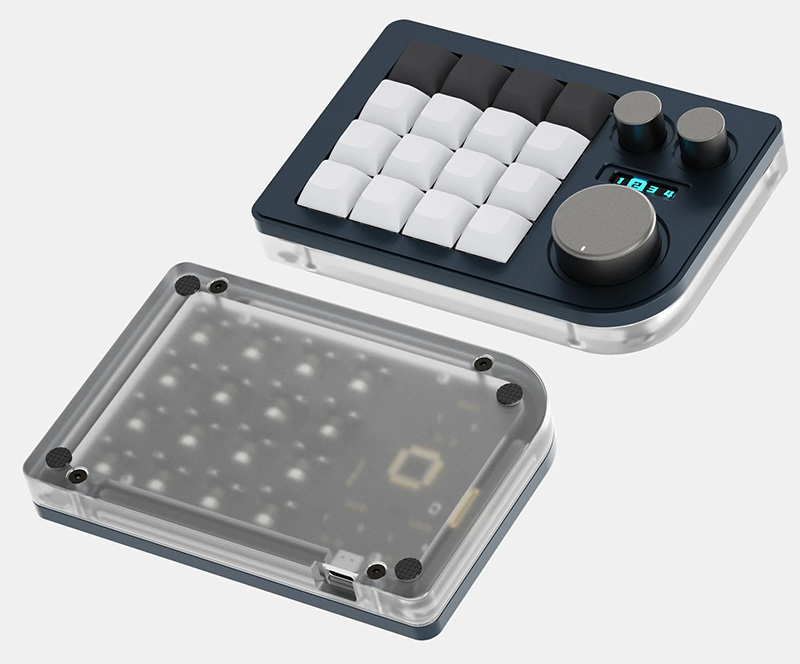
That’s a great amount of shortcuts but how was I going to remember what I assigned to them without a display? The software that lets you program the keys (VIA) only shows the macros, but not what they do in the app you are using:
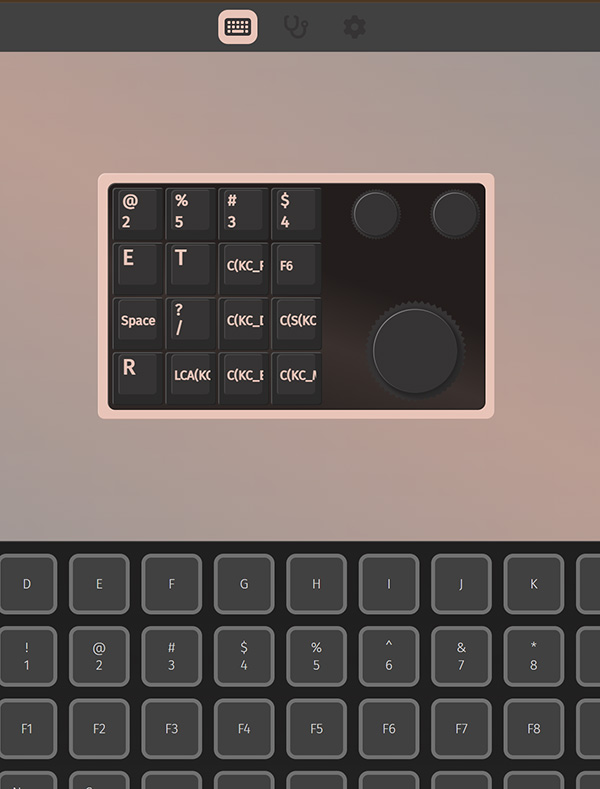
That’s where I decided to make a web app that could read the macro-customizations file, translate them to an app (in my case Rebelle) and show them in a useful way.
Enter DOIO Macro Browser.
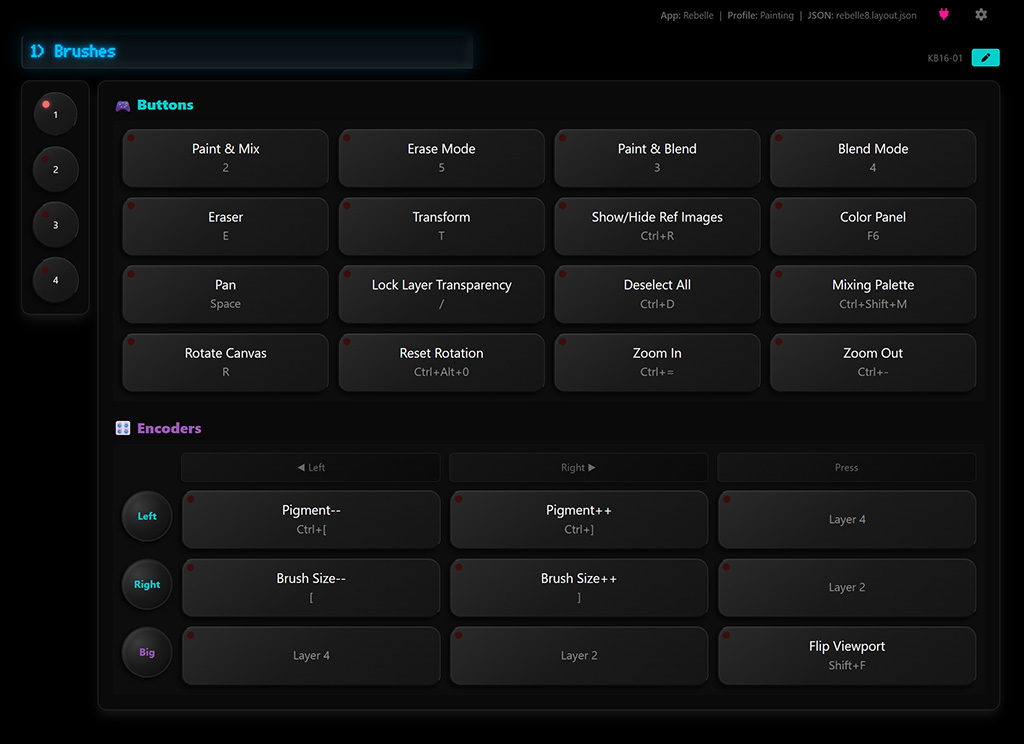
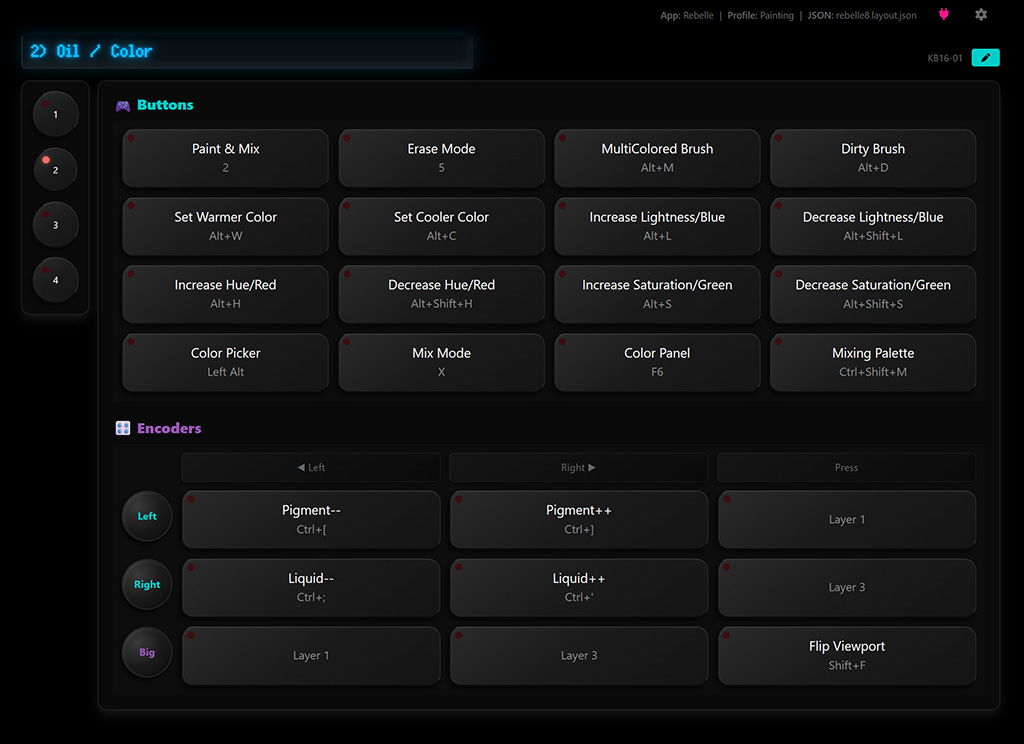
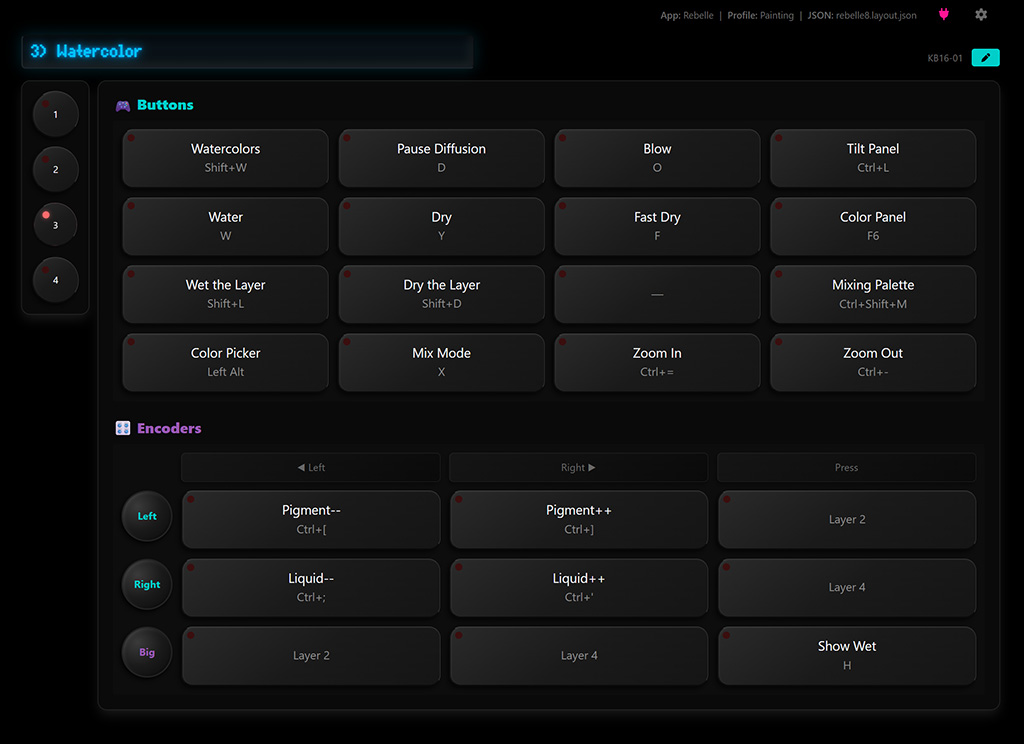
At this point, I’m pretty sure most of my friends were like “dude, you have too much time on your hands.” And the next part … granted … maybe
But alas, it wasn’t really speeding me up to have to manually keep the app and the device frames in sync so I did some research and found a way to hijack the keyboard signals from the device and relay them to the web app (and visa versa). It’s called WebHID, and it lets you communicate with USB devices via web browser (on the same computer).
To make that work, I had to modify the firmware on the device. I added signals for changing frames, and for key presses and knob turns that get relayed to WebHID. Now the web app could read and broadcast the actions taken on the device visually. And the active frame stay in sync.
Connecting the device to the app:
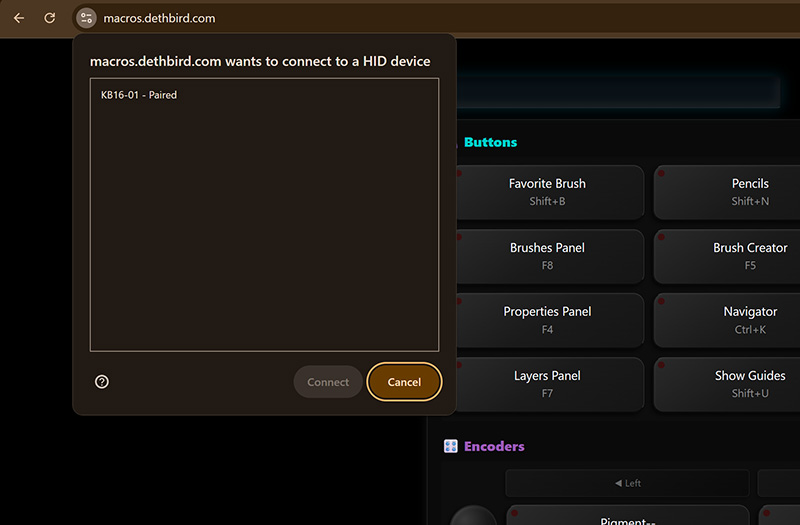
Two-way frame sync, and button / knob interaction via WebHID:
Now I had made something more than a glorified cheatsheet! NOW, it had cool LED lights!
Here is the the first thing I made using it (making-of video at the top of this post):

Here are all the parts and software, contact me if you want help setting it up for yourself!
DOIO Macropad KB16: ($59)
https://doioshop.com/products/doio-16-keys-programmable-multifunction-mechanical-keyboard-translucent-acrylic-kb16-01?VariantsId=10563
KB16 modified firmware: ($0)
https://github.com/dethbird/qmk_firmware/tree/feat-kb16-broadcast-activity-to-HID
DOIO Macropad Browser App ($0):
https://github.com/dethbird/doio-macro-browser
In conclusion, I have been on a bit of a tear making these web-app tool things and I’m finding great joy in it. For me it is always a nice reminder that software, imo, should at it’s core be a tool and not just a fishing net to capture people and lock them in.